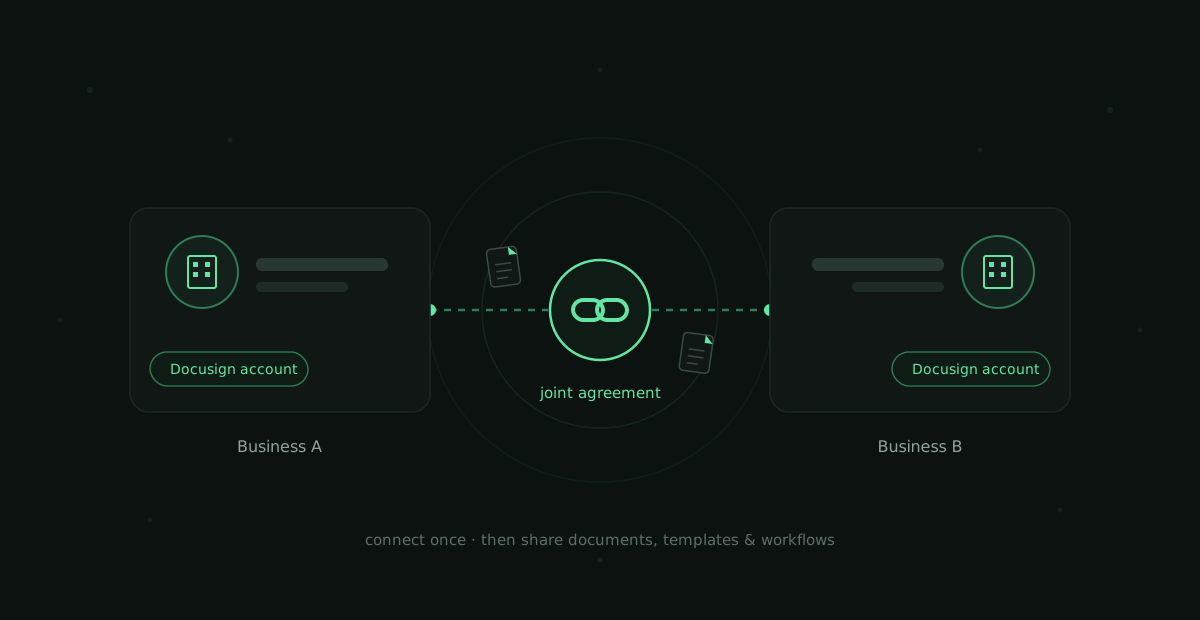
Connect your Docusign account with another business the way you'd connect on a social network — then share documents, templates, and workflows seamlessly.
ROLELead designer, Incubation team
COMPANYDocusign
STATUSLAUNCHED · NA MARKET
TRACTIONFinancial Services & Insurance
0 → launchled from inception to market
3 variantsA/B tested UI concepts, combined the winners
high SUSsignificant usability score on final product
With the Joint Agreements add-on, a Docusign user can connect their account with another Docusign user outside their business. Once a connection is accepted, both parties share documents, templates, and materials directly through Docusign's network — saving countless hours and making complex two-party workflows simple. It's gaining traction in Financial Services and Insurance, where broker/dealer and carrier/agent arrangements require two businesses to coordinate one agreement.
As lead designer on the Incubation team, I took the product from the inception of the idea, through workshopping and prototyping with customers, to execution and launch. On a team heavily comprised of engineers, I influenced without authority — introducing the discovery frameworks, research synthesis, and evidence that made it lean, iterative, and customer-centered:
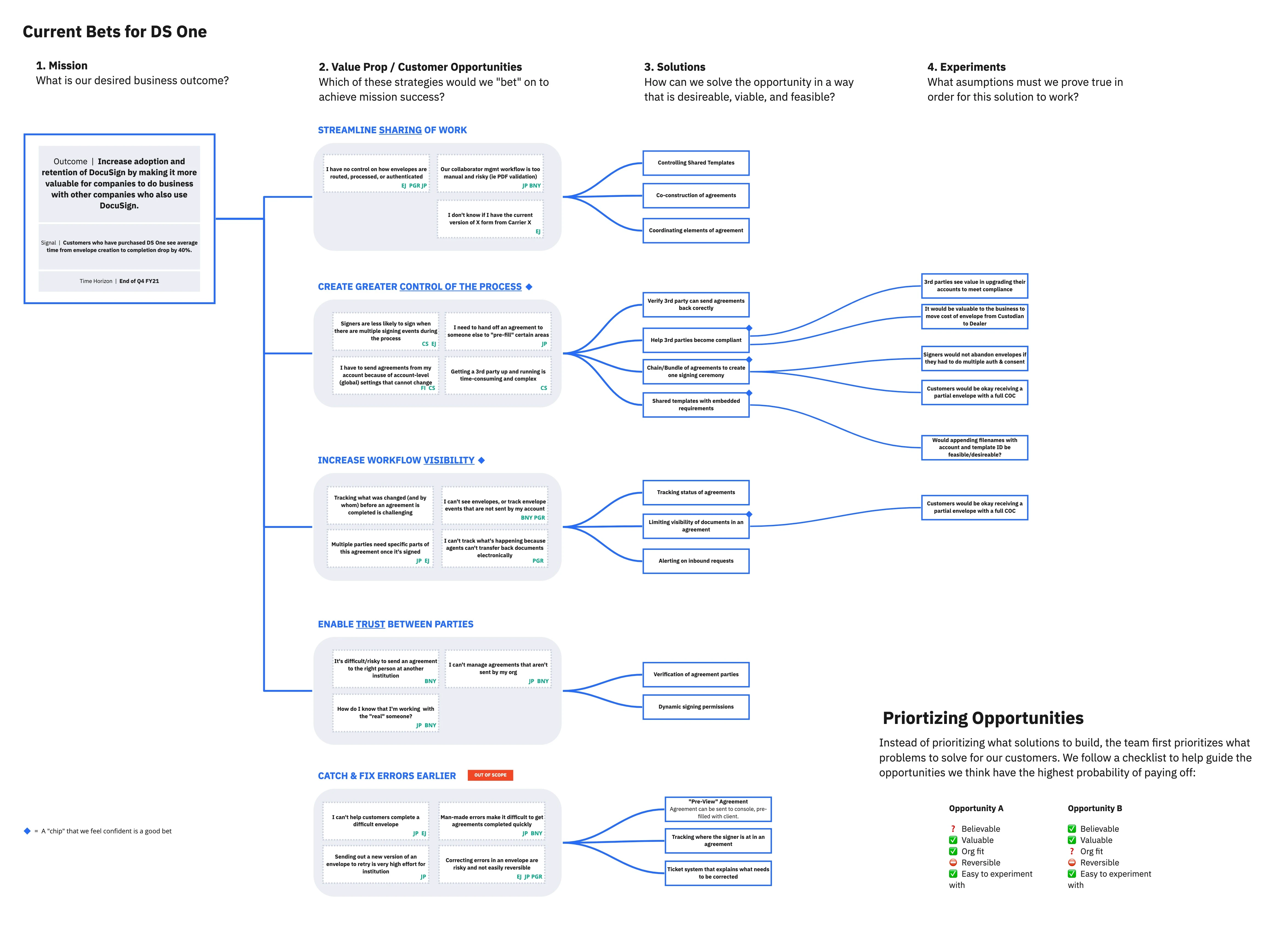
01 — the opportunity/solution tree
The team was initially asked to build a solution for one client's request. I pushed us to first talk to more customers in the space and size the market — which revealed there wasn't one problem to solve, there were several. I introduced the opportunity/solution tree (Teresa Torres' framework) to synthesize and prioritize what we found, keeping the team anchored to the most valuable customer needs instead of fixating on a single solution. That's how we gained confidence we were building something customers would actually buy.
the opportunity/solution tree that reframed the roadmap
02 — rapid prototypes & customer co-creation
Instead of saving customer feedback for the end, I brought customers in when we had only a rough idea of the solution. I built quick prototype wireframes in Axure and ran 20–30 minute sessions with several customers. Leaving things open-ended let customers fill in the blanks — and tell us exactly what the solution needed to be truly valuable.
early concept — cross-account recipient assignment
03 — experimental user tests
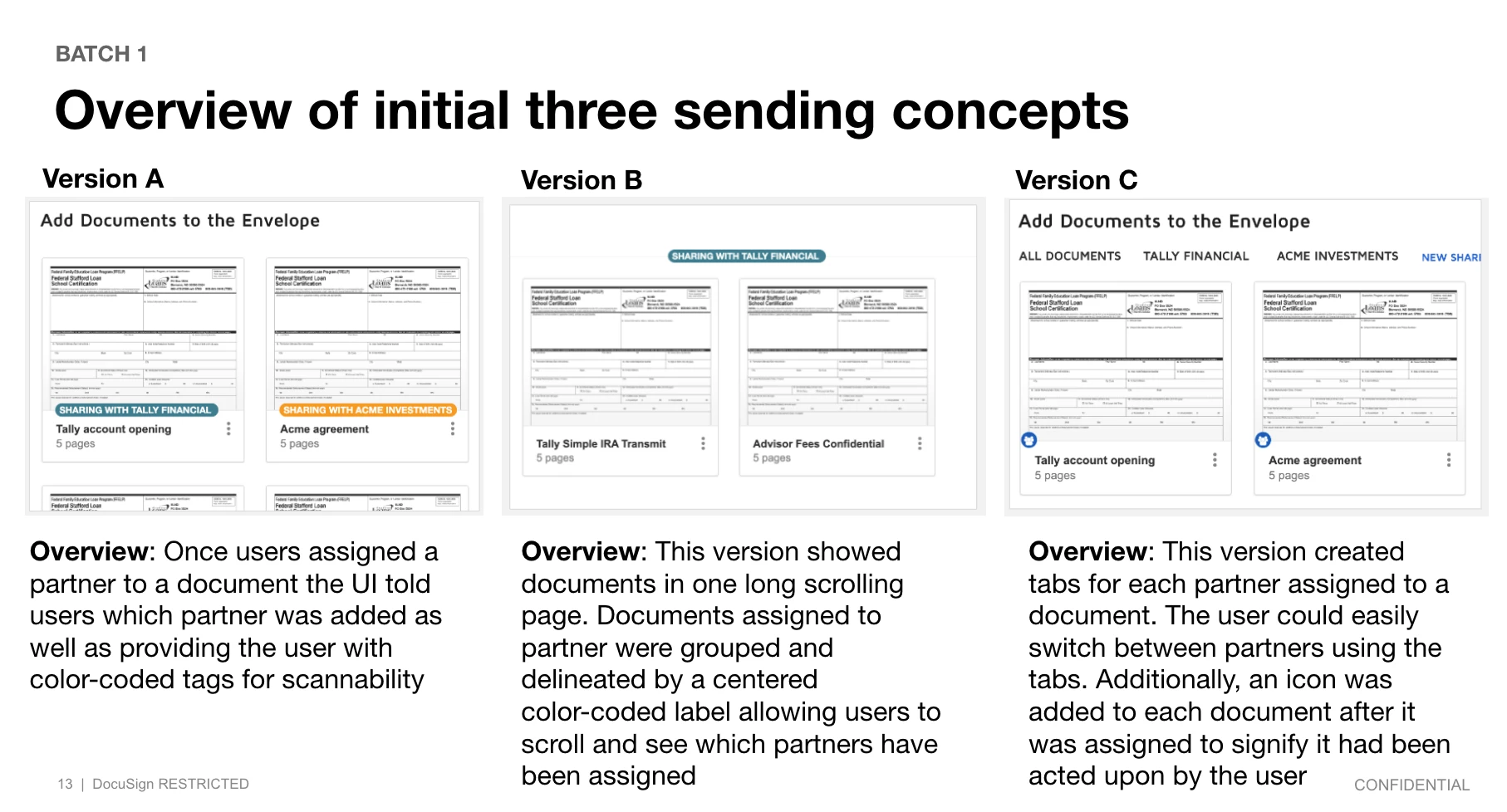
Because the product introduced UX patterns Docusign users had never encountered, I knew no single "perfect" design would emerge from intuition. I workshopped three UI concepts with the team, then partnered with a UX researcher on an A/B test across variants. The research led us to combine attributes from multiple variants — and the final product earned a significant System Usability Scale (SUS) rating.
variant testing — three concepts, one combined winner
the shipped product: a guided joint agreement
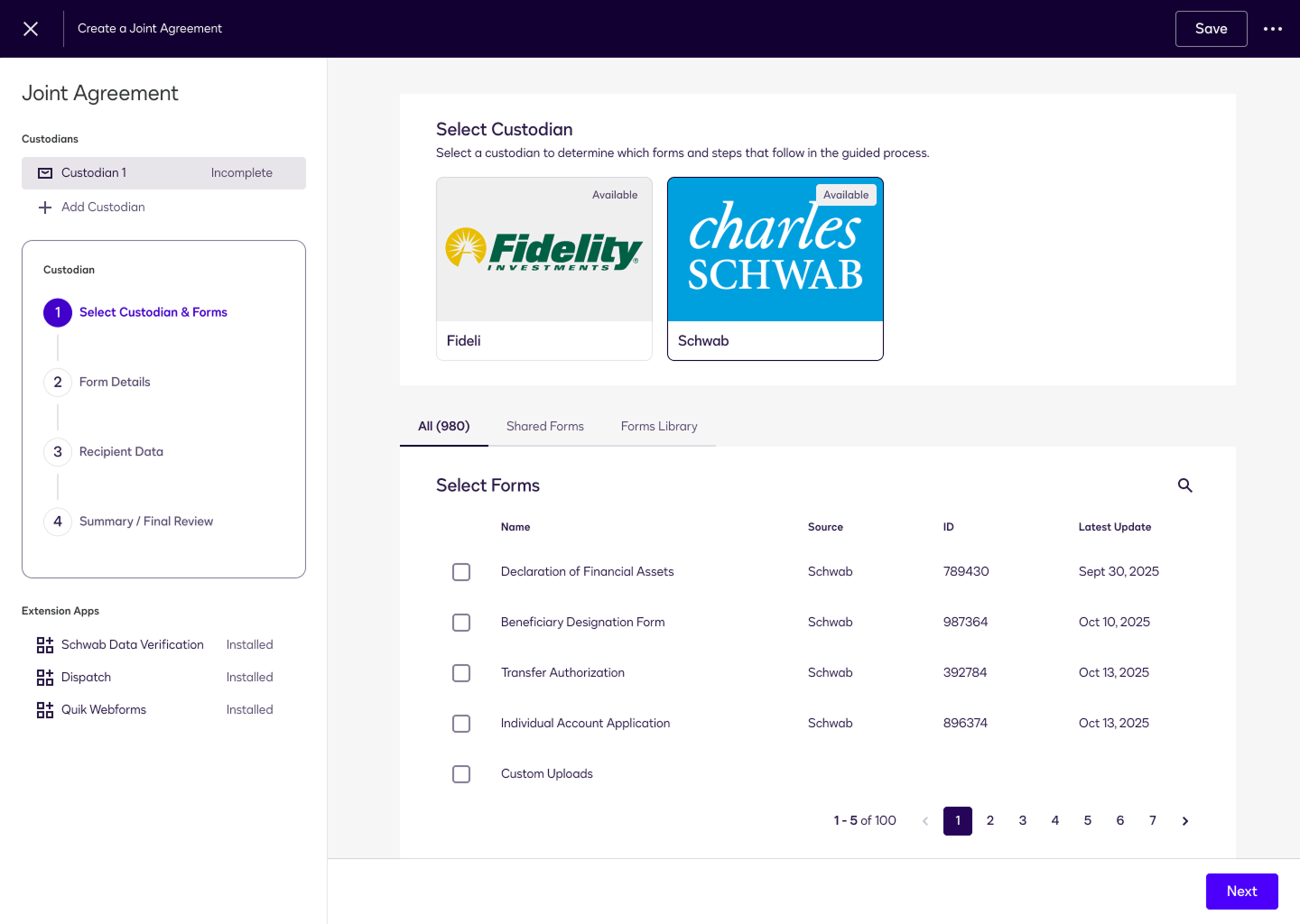
The research converged on a four-step guided flow that walks a business through creating an agreement with a partner on the other side. It starts by picking the custodian — Fidelity or Schwab — which determines the forms and steps that follow, so the interface adapts to the relationship instead of asking the user to.
step 1 — pick a custodian, then choose from its shared forms library
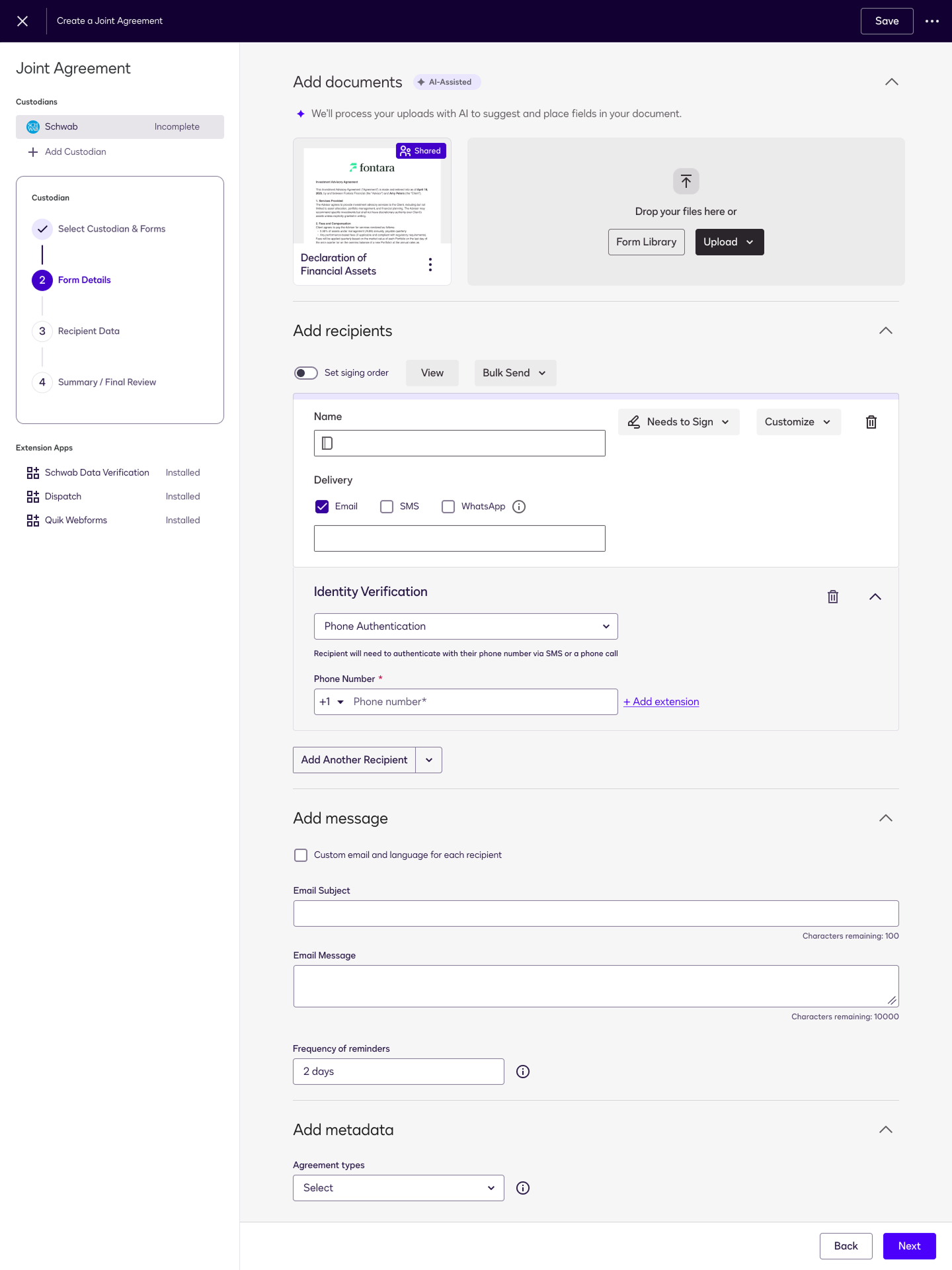
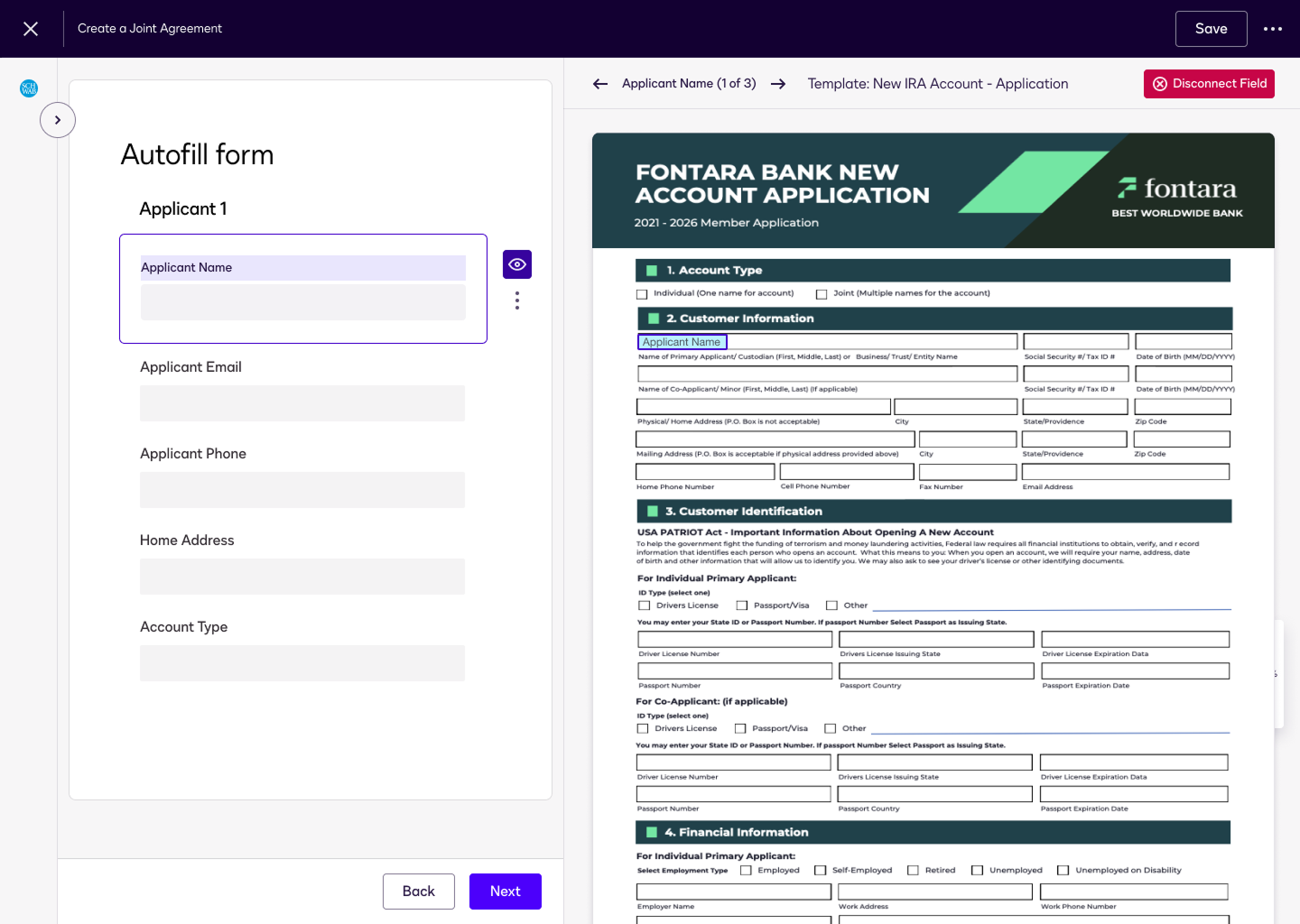
From there the user adds documents and recipients, sets identity verification and signing order, and — the part I'm proudest of — lets AI-assisted field mapping read an uploaded form and connect each recipient's data to the right place on it. The hardest UX problem, cross-account data entry, becomes a review step instead of a chore.
step 2 — documents, recipients, verification, and messaging in one flowstep 3 — AI-assisted autofill maps recipient data onto the custodian's form
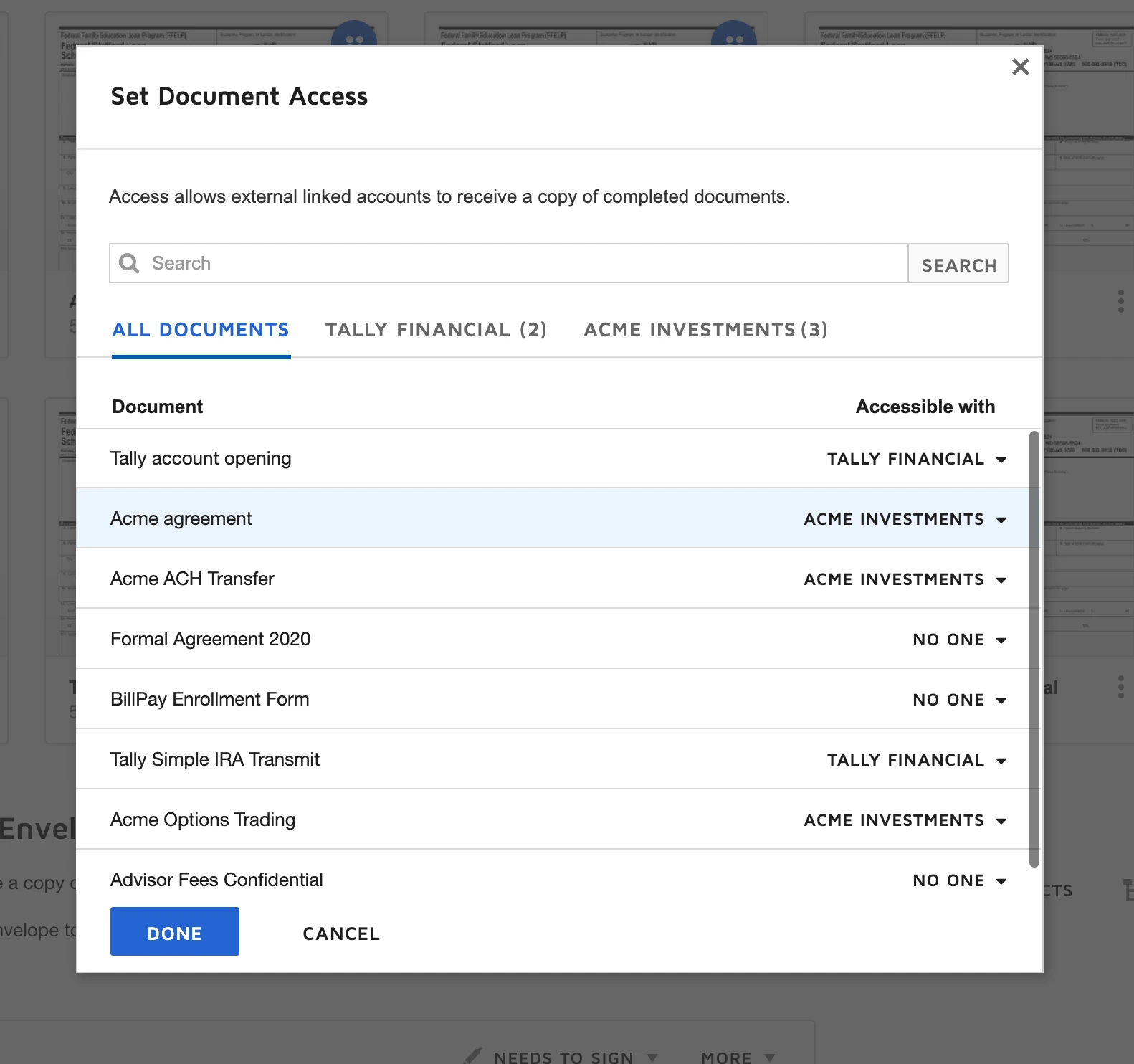
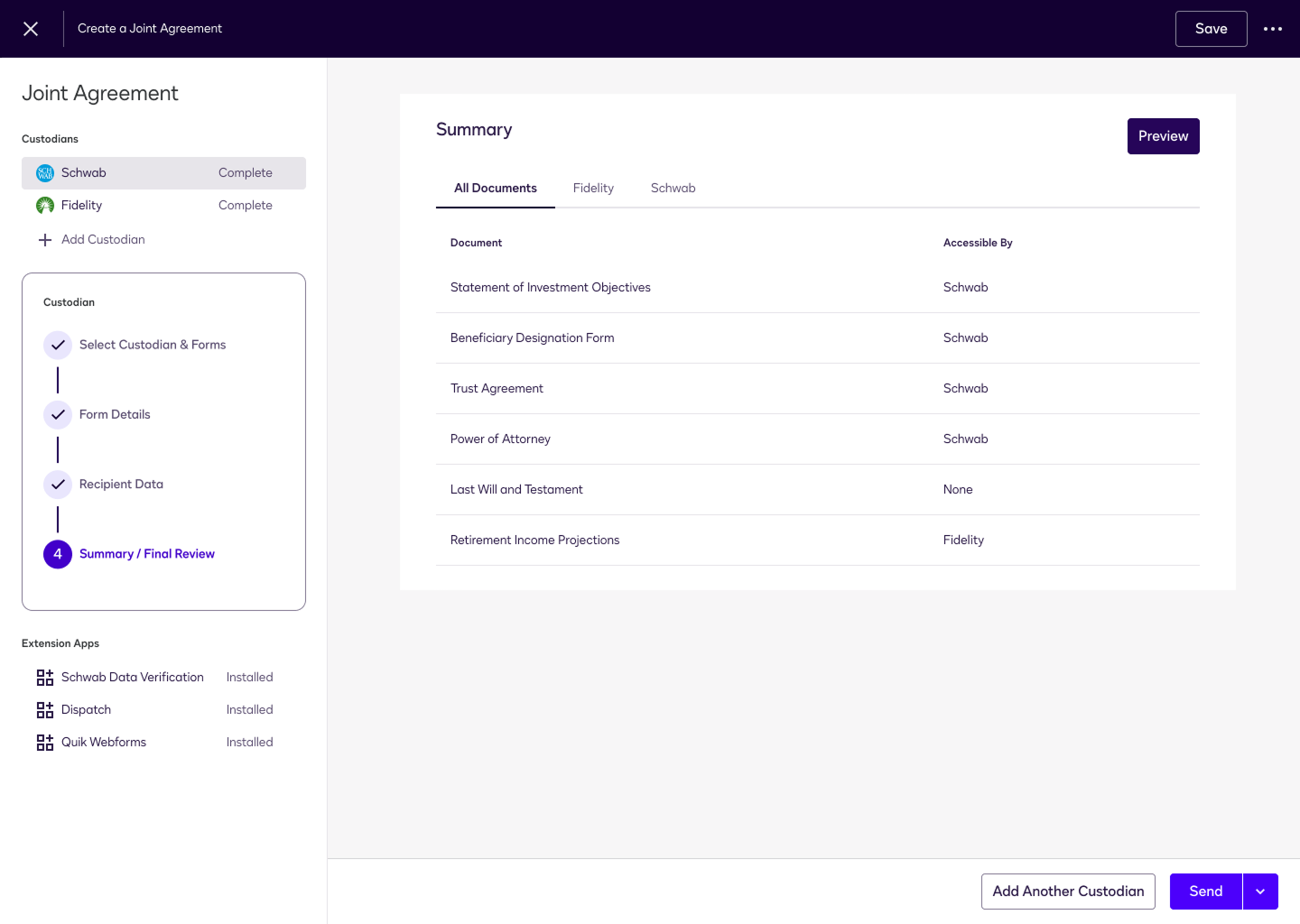
A final summary makes the whole two-party arrangement legible: which documents each custodian can access, what's complete, and what's ready to send — the network effect made concrete.
step 4 — a summary controlling which documents each party can access